
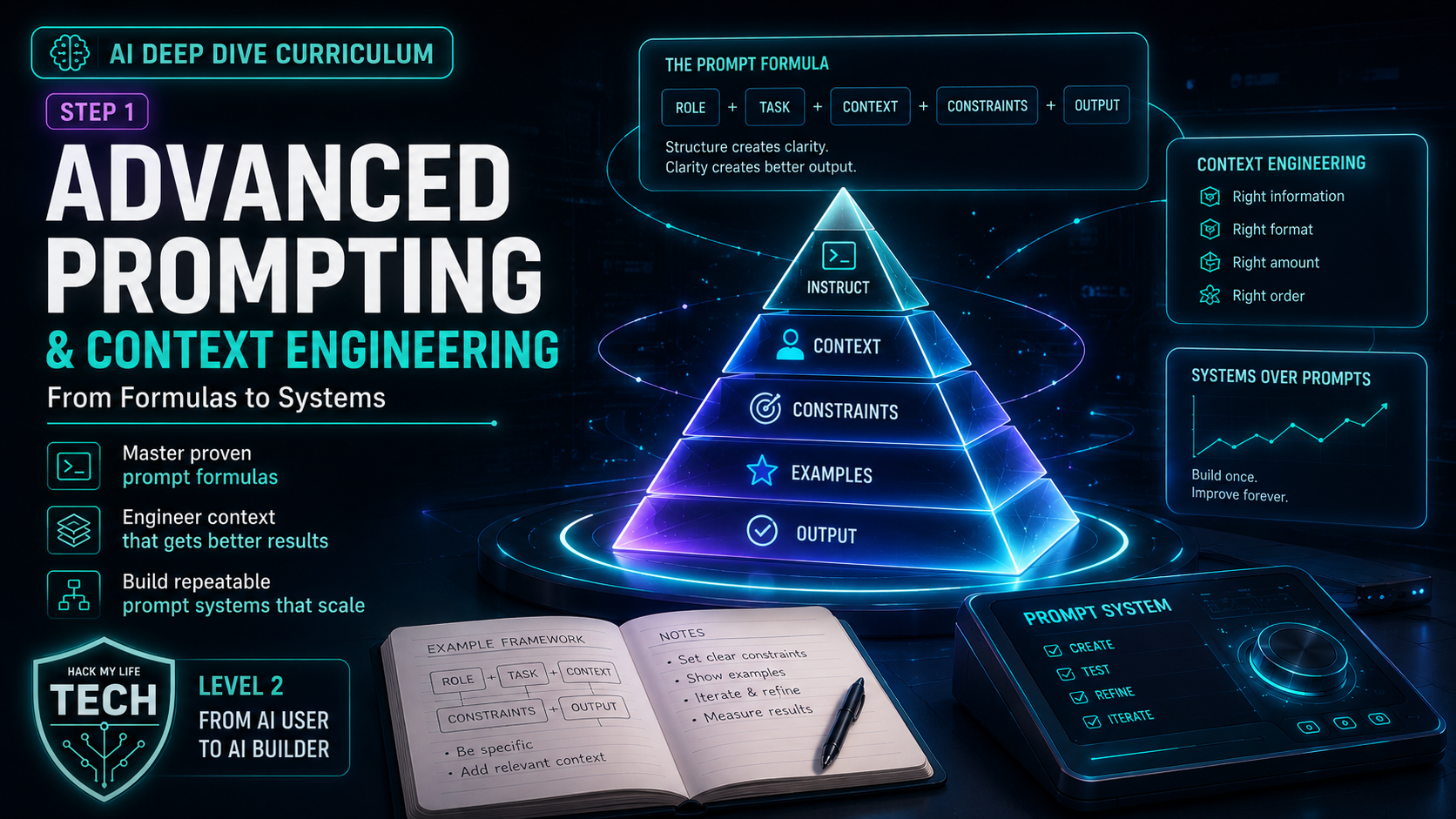
Welcome to the first lesson of the AI Deep Dive curriculum — Level 2, where you stop being a driver and start building the garage. If you completed our AI Essentials series, you already own the single most valuable AI skill: the R-C-T-F-E briefing formula from Step 6. You can write one excellent prompt on demand.
So here’s the question that opens Level 2: what if you never had to write that prompt twice?
💡 A great prompt is a sentence. A prompt system is a machine. Level 1 taught you to brief the AI once; Level 2 teaches you to build reusable systems that make your workflow more consistent — and the secret isn’t fancier wording, it’s engineering the context the model sees.
By the end of this lesson you’ll understand the mindset shift the industry now calls context engineering, own the four building blocks of a prompt system (custom instructions, prompt chaining, meta-prompting, and your personal prompt library), and know the science of why what you put in the context window — and where — changes everything.
1. The Reframe: From “Magic Words” to Context Engineering
Beginners hunt for magic words — the perfect phrase that unlocks the AI. Essentials Step 6 introduced the deeper truth: detail beats incantation. Level 2 finishes the thought.
Recall from Essentials Step 4 that a model computes the most plausible continuation of everything in front of it. That “everything” has a name: the context window — the full pile of text the model can see at once, which includes far more than your latest message.
Available context can include instructions, selected history, retrieved file passages and tool results. Attaching a file does not imply that its entire contents reach every model request; truncation, retrieval and product settings affect what is included.
💡 The definition that changes everything: Prompt engineering optimizes the sentence you type.
Context engineering optimizes the entire window the model reads — instructions, examples, documents, history, and tools — so the right information is present, well-organized, and free of noise. What you show the model matters more than the clever words you use to ask.
This reframe is why Level 2 exists. Every technique below is really one idea: stop crafting better sentences, start engineering better context.
2. The Four Building Blocks of a Prompt System
🧱 Block 1 — Custom Instructions: The Briefing You Write Once
Platforms offer different places for saved preferences, project instructions or assistant instructions. Their scope, precedence and availability vary. Check the current settings for the selected product and test in the intended chat or project; do not assume user-authored instructions replace the provider’s system rules.
A strong custom-instruction block is just a permanent R-C-T-F-E:
“I’m a solo blogger writing about tech for non-technical beginners (Role + Context). Default to plain language, short paragraphs, concrete analogies, and no corporate buzzwords (Format).
When I paste a draft, improve clarity without changing my meaning, and flag anything factually shaky (Task). Match the friendly-but-precise tone of this sample: [one line] (Example).”
After saving the instructions, run a representative test in their intended scope. Record which requirements were followed and which failed; saved settings do not guarantee compliance.
🔗 Block 2 — Prompt Chaining: Pipelines, Not One-Shots
Complex work rarely fits in one prompt. Prompt chaining breaks a big task into a sequence where each output becomes the next input — an assembly line instead of a single heroic request.
Turning a messy interview recording into a blog post, one-shot, produces beige mush. Chained, it sings:
- Extract: “From this transcript, pull the 5 most interesting claims as bullet points.”
- Structure: “Turn those 5 bullets into a blog outline with a hook and section headers.”
- Draft: “Write section 2 from that outline in my custom-instruction voice.”
- Polish: “Tighten this draft to under 800 words; flag any claim I should verify.”
Each of the four steps is inspectable, but an error can propagate through the chain. Keep the original source available, review extracted claims before drafting, and pass needed context explicitly. Measure correction effort rather than assuming chaining improves every task.
🪄 Block 3 — Meta-Prompting: Make the AI Write Your Prompt
Here’s the move that feels like cheating: use the AI to engineer the prompt before it answers. Two flavors:
- Prompt improvement: “Here’s my rough prompt: [paste]. Rewrite it into a detailed, well-structured prompt using role, context, task, format, and examples — then ask me anything still missing before you run it.”
- The interview reversal (from Step 6, leveled up): “You’re a prompt engineer. Interview me with up to 5 questions until you have everything needed to produce a world-class result, then proceed.”
You’ve delegated context engineering to the entity best equipped to do it. For complex tasks, meta-prompting can help identify missing requirements and structure a better prompt, but it does not guarantee accuracy. High-stakes outputs still require independent verification.
📚 Block 4 — Your Prompt Library: Stop Reinventing
The instant a prompt or chain works well, it becomes an asset — save it. A simple notes doc or Notion page of your best, reusable prompts (“blog outliner,” “email-to-action-items,” “code explainer”) turns useful drafts into a maintained resource.
A maintained library reduces repeated setup and makes revisions easier to track. Over months, this library becomes your personal, compounding operating system for AI.
3. The Science: Why Where You Put Context Matters
Context engineering isn’t vibes — it rests on measurable model behavior. Two research findings should shape how you build every system above.
Finding 1 — Examples in the window are a documented superpower. The ability to learn a task purely from examples placed in the prompt (no retraining) is called in-context learning, and it’s exactly what the GPT-3 paper demonstrated in its evaluated settings. This is the scientific license behind Block 1’s “paste a sample” and Block 2’s chained examples.
- Source: Brown, T. B., et al. (2020). Language Models are Few-Shot Learners. Advances in Neural Information Processing Systems (NeurIPS).
Finding 2 — Position matters, and more is not always better. Researchers found that the evaluated models often used information more effectively when it appeared near the beginning or end of a long context, and can genuinely lose track of facts buried in the middle — a result the authors named the “lost in the middle” effect. Stuffing your window with everything you own can actually bury the one fact that mattered.
- Source: Liu, N. F., et al. (2023). Lost in the Middle: How Language Models Use Long Contexts. Transactions of the Association for Computational Linguistics (TACL).
- Why it matters: Context is a resource you curate, not a bucket you fill. Put the most important instruction or document at the top or bottom, prune irrelevant history, and treat noise as the enemy of accuracy.
Three hypotheses to test on your own task:
- Front-load and back-load the critical stuff — key instructions at the start, key ask at the end.
- Prune ruthlessly — irrelevant pasted text is not neutral; it dilutes attention.
- Signal-to-noise beats volume — compare a relevant, curated context with a longer version; enough supporting information must remain.
🙋 4. Reader Q&A: Three People, Three Very Different Questions
(Common questions from beginners moving from one-off prompts to reusable systems — answered without jargon.)
Q1 — from an office worker whose team all use AI differently: “Everyone on my team prompts their own way, so our AI-assisted reports come out wildly inconsistent. How do I fix that without policing everyone?”
Answer: You don’t police the people — you standardize the context, and this is exactly what custom instructions and a shared prompt library were built for.
Write one “house style” briefing block — audience, tone, formatting rules, forbidden buzzwords, a one-line good example — and have everyone paste it into their custom instructions (or, better, build a shared team assistant in Deep Dive Step 3, where the instructions live in one place for everyone).
Then promote your two or three best working prompts — the report summarizer, the meeting-notes formatter — into a shared doc the whole team pastes from.
A shared starting brief can reduce inconsistent requirements. It does not guarantee matching outputs across models, settings or runs. Use a common acceptance checklist and review sample outputs before adopting the workflow.
Q2 — from a solo founder doing the work of five people: “I love the chaining idea but I’m drowning. Where does a one-person company get the biggest win from this?”
Answer: Find your most-repeated multi-step task — the one you do weekly and dread — and chain that one first; don’t try to systematize everything at once. For most solo founders it’s content repurposing: one podcast or blog post → a newsletter → a thread → three social captions, each in your voice.
Save the chain and compare its total time with your current process, including verification and corrections. This article does not report a measured time saving for that workflow.
Illustrative calculation: a measured net saving of three hours per week over 50 working weeks would total 150 hours per year. Subtract setup and maintenance time; this is arithmetic under stated assumptions, not an observed business outcome.
Build the highest-frequency chain first, prove the time savings, then let that proof fund the next one. And when you’re ready to have these chains run on their own, that’s exactly where Deep Dive Step 6 on agents and automation picks up.
Q3 — from an AI-major student who smells hype: “‘Context engineering’ sounds like a rebrand of ‘write a longer prompt.’ Is there anything real here, or is it a buzzword?”
Answer: Fair challenge — and the distinction is real and testable. “Longer prompt” is about volume; context engineering is about composition — which information is present, where it sits, and what’s been pruned.
The mechanism traces straight back to how these models work (Essentials Step 4): every token conditions the probability distribution for the next, so the arrangement of the window measurably changes the output, not just its length.
Two peer-reviewed anchors make this concrete rather than hand-wavy: in-context learning shows well-placed examples can teach a task with no retraining (Brown et al., 2020), and the lost-in-the-middle result shows identical information yields different accuracy depending purely on its position in the window (Liu et al., 2023) — which is direct evidence that “just make it longer” is wrong, since padding the middle can degrade performance.
So the falsifiable claim is: for a fixed task, a well-composed short context beats a bloated long one. Test the claim directly: run the Essentials Step 5 bake-off on the technique itself: same task, curated context vs. kitchen-sink context, ten trials. You’ll be doing context science, not chasing a buzzword.
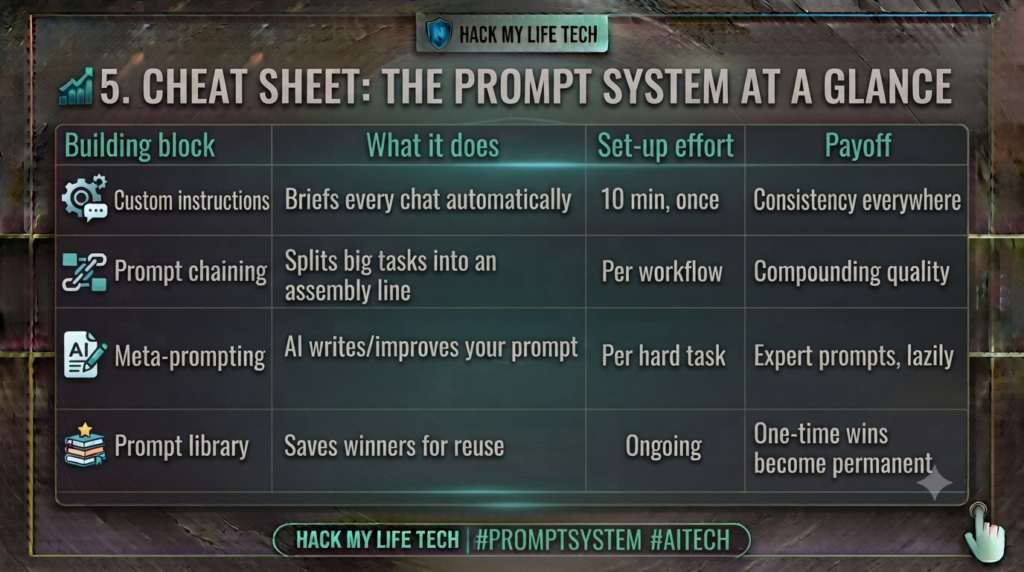
📊 5. Cheat Sheet: The Prompt System at a Glance
| Building block | What it does | Set-up effort | Payoff |
|---|---|---|---|
| Custom instructions | Applies within the configured scope | 10 min, once | A reusable starting brief |
| Prompt chaining | Splits big tasks into an assembly line | Per workflow | Compounding quality |
| Meta-prompting | AI writes/improves your prompt | Per hard task | Reusable prompt drafts |
| Prompt library | Saves winners for reuse | Ongoing | Versioned prompts for retesting |
The three context laws: front-load & back-load the critical parts · prune ruthlessly · signal-to-noise beats volume.
⚡ 6. Try It Today: Build Your First System in 20 Minutes
Concepts become skills the moment you ship one. Three quick builds:
- Write your custom instructions (10 min). Draft one R-C-T-F-E block describing who you are and what “good” looks like, and paste it into your AI tool’s custom-instructions setting. Test whether the instructions apply in that chat or project.
- Build one 2-step chain (5 min). Pick a recurring task and split it into two prompts where output 1 feeds prompt 2 (e.g., “outline this” → “draft section 1 from that outline”). Run it once.
- Start your library (5 min). Open a notes doc titled “My Prompts” and paste in the two prompts you just used. Congratulations — you now own a system, not just a chat history.
Bonus: run one of today’s prompts through meta-prompting first (“improve this prompt, then ask what’s missing”) and feel the difference a self-engineered context makes.
📝 7. Recap & What’s Next?
Today you graduated from writing prompts to engineering systems:
- The reframe: context engineering optimizes the whole window, not just the sentence — what you show beats what you say.
- Four building blocks: custom instructions (brief once), chaining (assembly lines), meta-prompting (AI writes the prompt), and a prompt library (reuse forever).
- The science: examples in-context teach tasks (Brown 2020), but position matters and more isn’t better (Liu 2023) — curate, don’t dump.
Relevant source documents can help with document-based tasks, but retrieval and generation can still fail. In the next lesson, keep track of which passages support each answer instead of treating uploaded files as a guarantee against guessing.
In the next lesson, we demystify file uploads, knowledge bases, and the acronym behind it all — RAG — with zero code required.
⏮️ Prerequisite: The AI Essentials Curriculum — especially Step 6: Introduction to Prompts
⏭️ Next Lesson: [Deep Dive Step 2] Feed the Machine: Your Files, Your Data & RAG (No Code Required)
Verification note
Prompt and context techniques can improve consistency, but they do not guarantee accuracy. Compare outputs across representative test cases, keep the source material available, and require independent review for consequential decisions.