
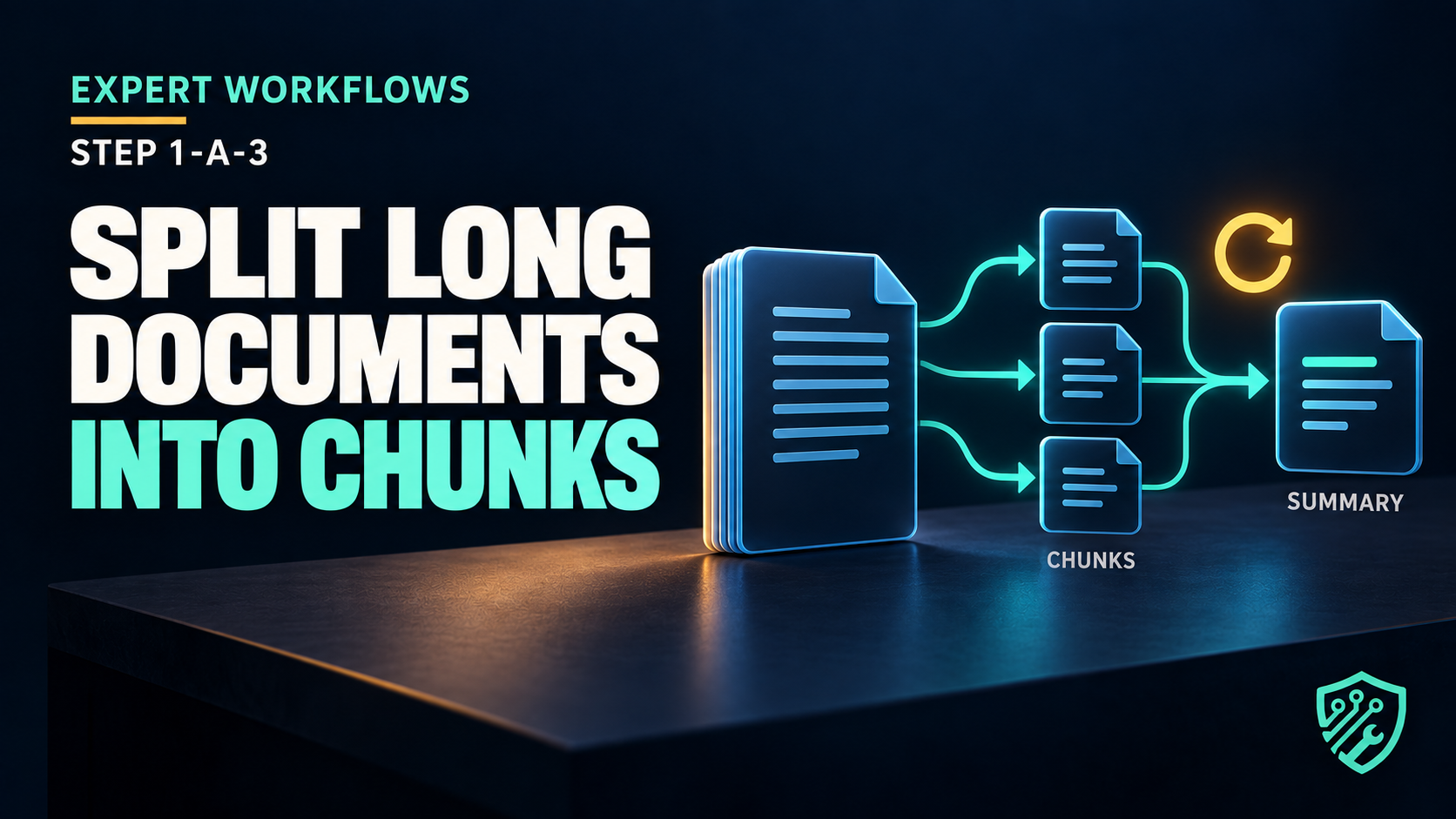
📌 Expert Workflows · Step 1: AI PDF Summarizer · Edition A (Developer) · Part 3 of 4 (Chunking, Token Limits & Surviving)
🎯 What You’re Actually Building Here
You have a configured API connection from part 1 and extracted text from part 2. Verify both with your own provider account and authorised test PDF before continuing. The obvious next move is to paste all of it into one request and ask for a summary. A short document may fit in one request, while a longer one can exceed the selected model’s context budget or lose important detail. The threshold varies by model, prompt, language, and output allowance.
This tutorial builds a paragraph-aware chunker, a map-reduce summarization pattern, and bounded retry handling. Capacity still depends on the model context window, provider limits, document structure, tokenisation, available time, and budget.
Project context
Scope. The timeout and failure examples below are controlled troubleshooting examples, not claims from a production run. Provider behaviour, SDK defaults, latency, and retry guidance vary by service and version.
🛠️ What to Have Ready
- Parts 1 and 2 complete: working API connection,
extract_text()andinspect_pdf() - A longer test PDF — 20+ pages is ideal for feeling the difference
How to Use This Troubleshooting Tutorial
- 🔴 BEFORE shows an intentionally incomplete or flawed example so readers can reproduce and understand a representative problem.
- 🧠 CAUSE explains why the problem occurs.
- 🟢 AFTER presents the corrected implementation for this lesson.
- ✅ VERIFICATION explains how to confirm that the correction works.
📝 Step 1: Why One Big Request Fails
Every model has a context window — the maximum amount of text it can hold at once, measured in tokens rather than characters (roughly 750 words per 1,000 tokens in English; more tokens for other languages, which is why the same word budget in Korean or Japanese costs noticeably more tokens). You can see exactly how text splits into tokens with OpenAI’s tokenizer guide. If you’re fuzzy on why, how AI models actually work covers tokens properly.
Three separate problems appear when you ignore this:
- Hard rejection. Exceed the window and the request errors out.
- Position-sensitive quality. Lost in the Middle (Liu et al., 2023) reported position effects in its tested models and tasks. This does not prove that every current model or summary loses the middle; compare outputs with source passages across the document.
- Timeouts. Long inputs mean long processing, and the default client timeout often expires first.
Smaller requests can help manage these risks, but introduce additional calls and possible cross-chunk omissions. Measure the trade-off on your own documents.
📝 Step 2: A Paragraph-Aware Chunker
Naive slicing (text[0:6000]) cuts sentences in half and destroys the context the model needs. Split on paragraph boundaries instead:
def chunk_text(text: str, max_chars: int = 6000, overlap: int = 200) -> list[str]:
    """Split text into chunks that respect paragraph boundaries."""
    if max_chars <= 0 or overlap < 0 or overlap >= max_chars:
        raise ValueError("Require max_chars > 0 and 0 <= overlap < max_chars")
    paragraphs = [p.strip() for p in text.split("\n\n") if p.strip()]
    chunks: list[str] = []
    current = ""

    for para in paragraphs:
        if len(para) > max_chars:
            if current:
                chunks.append(current.strip())
                current = ""
            step = max_chars - overlap
            for i in range(0, len(para), step):
                chunks.append(para[i:i + max_chars])
            continue

        candidate = para if not current else current + "\n\n" + para
        if len(candidate) <= max_chars:
            current = candidate
        else:
            if current:
                chunks.append(current)
            current = para

    if current:
        chunks.append(current)

    return chunks
Why max_chars=6000? It’s a deliberately conservative default. Characters aren’t tokens, and the ratio varies by language — the same 6,000 characters can be 1,500 tokens of English or considerably more in Korean, Japanese, or Chinese. Starting conservatively reduces context-limit risk, but it does not guarantee compatibility. Measure tokens with the tokenizer for the selected model and reserve space for prompts and output before increasing the limit.
A character limit is only a safety estimate, not an exact token budget. The real request includes the system message, the user prompt, the chunk text, the requested output, and—depending on the model—reasoning tokens.
Before sending a request, keep this rule in mind:
input tokens + reserved output tokens + safety margin < model context window
The same number of characters can produce different token counts depending on the language, tokenizer, and model. Use the provider’s tokenizer or token-counting tool when exact sizing matters.
The overlap matters only when a single paragraph is longer than a chunk — repeating characters at the seam may preserve some context, but character slices can still cut sentences or split a longer idea.
📝 Step 3: Map-Reduce Summarization
A practical map-reduce pattern for documents that exceed a single-request budget:
- Map: summarize each chunk independently
- Reduce: summarize the collected summaries into a final document summary
def summarize_chunk(client, model: str, chunk: str, index: int, total: int) -> str:
    prompt = (
        f"You are summarizing section {index} of {total} from a longer document.\n"
        "Write 3-5 bullet points capturing only the factual content of this section. "
        "Do not add information that is not present. If the section is boilerplate "
        "(headers, page numbers, legal footers), reply with exactly: SKIP\n\n"
        f"---\n{chunk}\n---"
    )
    response = client.chat.completions.create(
        model=model,
        messages=[{"role": "user", "content": prompt}],
    )
    choice = response.choices[0]
    if choice.finish_reason != 'stop' or not choice.message.content:
        raise ValueError('Incomplete or empty response.')
    return choice.message.content.strip()
The section number, factual-content rule and SKIP instruction describe the intended response; none guarantees model compliance. Optional temperature and output-limit parameters are omitted because supported fields differ by model. Inspect replies and configure supported limits using your provider’s documentation.
The reduce step:
def reduce_summaries(client, model: str, summaries: list[str]) -> str:
    combined = "\n\n".join(summaries)
    if len(combined) > 6000:
        raise ValueError('Combined summaries exceed the 6000-character demo bound; use bounded hierarchical reduction.')
    prompt = (
        "Below are section summaries from a single document, in order.\n"
        "Write a unified summary: one short paragraph of overview, then "
        "5-8 bullet points of the most important content. Remove duplicates. "
        "Use only what appears below.\n\n"
        f"---\n{combined}\n---"
    )
    response = client.chat.completions.create(
        model=model,
        messages=[{"role": "user", "content": prompt}],
    )
    choice = response.choices[0]
    if choice.finish_reason != 'stop' or not choice.message.content:
        raise ValueError('Incomplete or empty response.')
    return choice.message.content.strip()
This example stops if combined summaries exceed 6,000 characters. For a larger workload, use a bounded hierarchical reduction such as the separate complete implementation in Part 4; this snippet does not implement it automatically. Each additional reduction adds calls, cost, latency, and another opportunity for omission, so test the hierarchy on representative authorised documents rather than assuming unlimited scale.
📋 The Chunk-Size Trade-off
Choosing a chunk size isn’t arbitrary — it’s a trade-off between three competing costs, and getting it wrong shows up as either bad summaries or a slow, expensive run. Keep this as your tuning guide:
| Chunk size | Upside | Downside |
|---|---|---|
| Large (near the context limit) | Fewer requests, less “seam” between chunks | Hits the lost-in-the-middle problem; slower per request; timeout risk |
| Small (a few paragraphs) | Each chunk is used well by the model | Many requests; more chance of splitting an idea across chunks |
| Medium (paragraph-aware, ~1–2k tokens) | Balances both | A starting point to test against your own documents and model |
The rule this encodes: chunk on natural boundaries (paragraphs), not fixed character counts, because splitting mid-sentence hands the model half an idea and gets you half an answer. The paragraph-aware chunker above does exactly this — it’s slightly more code than a naive character split, and it’s the difference between a summary that reads coherently and one that has gaps where ideas were severed.
⚠️ Troubleshooting — A request times out mid-run
🔴 BEFORE
openai.APITimeoutError: Request timed out.This controlled failure example shows what happens when an API request times out after earlier chunks have completed. The exact chunk number, timing, error class, billing outcome, and retry behaviour depend on the provider and installed SDK version.
🤔 Cause
Timeout and automatic-retry defaults depend on the installed client version and provider. Check the current SDK documentation and set explicit values appropriate to the task rather than relying on an assumed default.
This tutorial sets `timeout=90.0` and `max_retries=0` deliberately so that the example’s own retry loop controls the behaviour. Other OpenAI-compatible providers may use different defaults.
The second—and more expensive—mistake is the lack of partial-result handling. Without catching the exception inside the loop, one failed request can discard the successful results that came before it.
🟢 AFTER
Use an explicit timeout, bounded backoff, and per-chunk error reporting:
import random
import time
from openai import (
    OpenAI,
    APIConnectionError,
    APIStatusError,
    RateLimitError,
)

client = OpenAI(
    api_key=API_KEY,
    base_url=BASE_URL,
    timeout=90.0,
    max_retries=0,   # we handle retries ourselves
)

def with_retries(fn, attempts: int = 4, base_delay: float = 2.0):
    if attempts < 1 or base_delay < 0:
        raise ValueError('Invalid retry settings.')
    for attempt in range(1, attempts + 1):
        try:
            return fn()
        except (APIConnectionError, RateLimitError) as exc:
            if attempt == attempts:
                raise
            error_name = type(exc).__name__

        except APIStatusError as exc:
            retryable_status = (
                exc.status_code in {408, 409, 429}
                or exc.status_code >= 500
            )

            if not retryable_status or attempt == attempts:
                raise

            error_name = type(exc).__name__
        delay = (
            base_delay * (2 ** (attempt - 1))
            + random.uniform(0, 1)
        )
        print(
            f"  attempt {attempt} failed "
            f"({error_name}) — retrying in {delay:.1f}s"
        )
        time.sleep(delay)
Then make the pipeline resilient rather than all-or-nothing:
def summarize_document(client, model: str, text: str) -> str:
    chunks = chunk_text(text)
    print(f"{len(chunks)} chunks to process")

    summaries, failed = [], []

    for i, chunk in enumerate(chunks, start=1):
        print(f"[{i}/{len(chunks)}] summarizing…")
        try:
            result = with_retries(
                lambda: summarize_chunk(client, model, chunk, i, len(chunks))
            )
            if result != "SKIP":
                summaries.append(result)
        except Exception as exc:
            print(f"  chunk {i} failed permanently: {type(exc).__name__}")
            failed.append(i)

    if failed:
        print(f"warning: {len(failed)} chunk(s) missing from the summary: {failed}")

    if not summaries:
        raise SystemExit("No chunks summarized successfully.")

    result = with_retries(lambda: reduce_summaries(client, model, summaries))
    if failed:
        result = 'PARTIAL SUMMARY — missing chunk(s): ' + ', '.join(map(str, failed)) + '\n\n' + result
    return result
Exponential backoff with jitter isn’t ceremony: retrying instantly hits the same congestion, and retrying on a fixed schedule synchronizes your retries with everyone else’s. Doubling the delay plus a random fraction spreads the load out.
Verification boundary: catching an exception inside the loop preserves successful summaries only while this Python process remains alive. It does not create a durable checkpoint. To resume after a crash or restart, write each completed chunk result and its source identifier to approved storage, then validate those checkpoints before reusing them. Do not log document text, credentials, or confidential provider responses.
⚠️ What Still Needs Doing
A pipeline that succeeds on average is not the same as a pipeline you can trust. Two habits separate the two, and both cost almost nothing to add now.
Report what’s missing. That failed list is the difference between a summary with a silent hole in it and a summary that says “sections 7 and 12 could not be processed.” A summary that quietly omits a chapter is worse than an error, because it looks complete.
Watch your call count. Map-reduce turns one document into N+1 API calls. A long PDF can require many map calls plus one or more reduce calls. Print the chunk count, estimate token usage and provider cost, and confirm current account limits before processing. Quotas, pricing, and rate limits vary by provider, model, account, and date.
✅ What You Have Now
A chunker that respects paragraph boundaries, a map-reduce pipeline that can handle very long documents when the reduce stage is also kept within the model’s context window, retry logic with exponential backoff and jitter, per-chunk failure isolation so one bad response can’t destroy a run, and honest reporting of gaps. Test it with authorised documents of different lengths and compare every summary with representative source passages. Successful execution does not prove that every section was represented accurately.
💡 An Optional Upgrade
Cache chunk summaries to disk keyed by a hash of the chunk text. Re-running the pipeline after changing only the reduce prompt then costs one API call instead of eighty — the single biggest quality-of-life improvement while you’re iterating on prompts.
❓ This Week’s Task
Run the pipeline on your longest test PDF and note the chunk count before it starts. Then deliberately break something: use the downloadable offline test to inject a simulated 503 and 401. It verifies bounded retries and immediate rejection without network charges. A very short live timeout is not a reliable way to force a particular provider failure. Watching your own error handling work is how you learn to trust it.
🔗 Next in This Series
[Step 1-A-4/4] Structured JSON Output & Shipping the Tool, where we stop printing loose prose and start returning parseable data — plus the JSON parsing failure that can occur when a model adds prose or returns malformed data, and the argparse CLI that turns this into a tool you actually use.
✍️ About the author & how this was made
Retry and cost boundary
Retries can duplicate billable requests or actions. Use explicit timeouts, capped exponential backoff, idempotency where available, cost limits, progress checkpoints, and logs that do not contain document text or secrets. Verify the reduced summary against representative source passages.
Archived helper checks — 30 August 2026
The older ZIP below tests a simplified helper demonstration, not the current complete retrying API path. Preserve it as historical evidence; use the September 12 package for the code in this revision.
Tested: 30 August 2026 on Windows 10 with local Python. These deterministic checks used synthetic text and made no live AI-provider request.
Download the secret-free verified chunking package (ZIP)
| Offline check | Result |
|---|---|
| Python syntax | PASS |
| Paragraph-aware split | PASS |
| Chunk size bound | PASS |
| Oversized paragraph overlap | PASS |
| Factual prompt boundary | PASS |
| SKIP filtering | PASS |
| Bounded exponential retry | PASS |
| Invalid limit guard | PASS |
| Secret and live-call absence | PASS |
SHA-256: B75B3FBA7F66003FA9054080F4A520D48189BFE880882860CE04F949CD367E32
Verification boundary: These checks verify local control flow and deterministic transformations. They do not prove provider availability, model quality, exact token counts for a selected model, request cost, latency, SDK retry behaviour, or production reliability. Test authorised representative documents and the selected provider’s current documentation before deployment.
Current runnable package and observations — 12 September 2026
Download current chunking.py, tests, results and README. Nine local checks passed with synthetic text, stub completions and simulated HTTP errors: exact-boundary paragraph, invalid overlap, long-paragraph overlap, SKIP filtering, explicit partial-output warning and sanitized logs, empty reply rejection, reduce-size rejection, bounded 503 retry and single-attempt 401 rejection.
Run python verify.py after installing README dependencies. Python 3.11.4 and openai 2.38.0 were used. No live provider, token-budget, summary-quality, latency or cost test was made.
For a live run, use python chunking.py extracted.txt --out summary.txt with approved UTF-8 text from Part 2 and your private provider settings in .env beside the script. The package includes imports, client configuration and the entry point. The CLI disables SDK retries; the displayed loop allows at most four attempts per map or reduce request. It has no total spending cap or durable checkpoint. Inspect any PARTIAL SUMMARY warning before using the output.
SHA-256: bc33d3665daa7664af2d7efde5628b1caa8befdc076b11855fceb8033291825d.