
Congratulations — if you’re reading this, you’ve likely completed the AI Essentials Curriculum, our 7-step foundation series. You can explain tokens, pick the right tool, write expert prompts, and catch a hallucination before it costs you. You are, in the words of our finale, a capable, responsible driver.
So what’s next? This.
💡 Level 1 taught you to drive the car. Level 2 teaches you to build the garage: custom assistants that know your business, automations that run while you sleep, images and video made to your spec, and your first real AI-built tool. The destination isn’t “better answers” anymore — it’s reusable systems and assets with your name on them.
Who this is for: Essentials graduates and anyone comfortable with the basics — creators, office workers, solo founders, side-hustlers, students, and teachers. Still no math degree, and (spoiler for Step 7) still no computer science degree either.
Prerequisite: We strongly recommend finishing AI Essentials Steps 1–7 first. Level 2 builds directly on those concepts — especially prompting (Step 6), tool selection (Step 5), and verification habits (Step 7).
💡 How to use this guide: Click each step below to read its deep-dive lesson as it’s published. We highly recommend following the sequence from Step 1 to Step 8 — each lesson’s project becomes raw material for the next, and everything converges in the Step 8 capstone.
📊 Level 1 vs. Level 2 at a Glance
| 🎓 Level 1: AI Essentials | 🚀 Level 2: AI Deep Dive | |
|---|---|---|
| Core goal | Understand AI & use it well | Build with AI & automate |
| You become | A confident driver | A builder and operator |
| Typical output | Better answers, smarter choices | Custom assistants, workflows, media, tools |
| Skills style | Concepts + habits | Projects + systems |
| End state | AI-literate | AI-leveraged |
🟢 Phase 1: Power-User Foundations (Steps 1–3)
- [Deep Dive Step 1] Advanced Prompting & Context Engineering: From Formulas to Systems
- Deep Dive: Level 1’s R-C-T-F-E formula was one great prompt. Now we build prompt systems: standing custom instructions that shape every conversation, prompt chaining (one output becomes the next input in a pipeline), meta-prompting (having the AI improve your prompt before running it), and the bigger idea the industry now calls context engineering — realizing that what you show the model matters more than the magic words you use.
- What You’ll Gain: Consistency. Instead of re-explaining yourself in every chat, you’ll operate reusable systems that produce the same quality on Monday as they did the Monday before.
- How to Apply It: Turn any recurring task — the weekly report, the content pipeline, the client update — into a saved 2–3 step chain you run in minutes.
- [Deep Dive Step 2] Feed the Machine: Your Files, Your Data & RAG (No Code Required)
- Deep Dive: The single biggest quality unlock in modern AI: grounding answers in your documents instead of the internet’s average. We’ll master file uploads, persistent knowledge bases (Claude Projects, custom GPT knowledge, Gemini’s notebook-style tools), and demystify the acronym behind it all — RAG (Retrieval-Augmented Generation) — with an open-book-exam analogy: retrieval is simply handing the model the right pages before it answers. You’ll also see exactly why grounding slashes the hallucination risk you learned to fear in Essentials Step 7.
- What You’ll Gain: An AI that answers from your manuals, notes, and policies — not from a statistical guess about them.
- How to Apply It: Build a personal knowledge base (“chat with my stuff”): your product docs, study materials, house paperwork, or client history — searchable by conversation.
- [Deep Dive Step 3] Build Your Own AI Assistant: Custom GPTs, Claude Projects & Gemini Gems
- Deep Dive: All three major platforms now let you build a specialist assistant without writing code: you give it standing instructions (its personality and rules — essentially a system prompt you author), attach its knowledge files from Step 2, and iterate until it nails one job. We’ll cover when a custom assistant beats regular prompting, and how to test it like a hiring manager before you “hire” it.
- What You’ll Gain: A reusable teammate that never forgets your instructions — the compounding version of everything you learned about prompting.
- How to Apply It: A listing-writer bot for your resale hustle, a tutor built on your exact syllabus, a brand-voice writer for your blog, a meeting-notes formatter for your team.
- Note: Builder features and names change quickly across platforms. Each lesson time-stamps its walkthroughs and points you to official docs for the latest.
🟡 Phase 2: The Creation Studio (Steps 4–5)
- [Deep Dive Step 4] AI Image Generation: Prompt Like an Art Director
- Deep Dive: Image models are a different species from the LLMs you know — we’ll cover the concept (diffusion: sculpting an image out of noise) just deep enough to prompt them well. Then the craft: the image-prompt formula (subject, style, composition, lighting, medium), iterating with reference images, and keeping characters and branding consistent across generations. We’ll close with the part most tutorials skip: commercial-use rights and copyright basics, continuing the ethics thread from Essentials Step 7.
- What You’ll Gain: The ability to art-direct — turning the picture in your head into pixels on demand, without design school.
- How to Apply It: Blog featured images, video thumbnails, product mockups, social graphics — an on-brand visual pipeline that costs minutes, not money.
- [Deep Dive Step 5] AI Video & Voice: From Script to Screen Without a Studio
- Deep Dive: The frontier of generative AI: text-to-video tools, AI voiceover and narration, and the realistic one-person pipeline — script (LLM) → visuals (Step 4 skills) → voice → assembly. Equal parts capability and honesty: what today’s video models genuinely do well (short, supervised clips), where they fail, and the disclosure ethics of synthetic voices and faces.
- What You’ll Gain: A one-person media studio workflow — and calibrated expectations that keep you productive instead of frustrated.
- How to Apply It: Shorts and reels for your channel, tutorial videos, podcast trailers, ad drafts to test ideas cheaply.
- Note: This is the fastest-moving area in all of AI. Lessons carry “as of” dates; always verify current tools before subscribing.
🔴 Phase 3: Automation, Building & Earning (Steps 6–8)
- [Deep Dive Step 6] AI Agents & Automation: Delegate Whole Workflows, Safely
- Deep Dive: The 2026 frontier. A chatbot answers; an agent pursues a goal — planning steps, using tools (your browser, your files, your apps), and working across many actions. We’ll survey the big three’s agent offerings, connect AI to your everyday apps through automation platforms, and — most importantly — build the supervision habit: human checkpoints, limited permissions, and budgets, because Essentials Step 7’s accountability rule (“you sign the work”) matters more when the AI acts instead of just talks.
- What You’ll Gain: Judgment about what to delegate and what to keep manual — plus your first safe, working automation.
- How to Apply It: Inbox triage that drafts replies for your review, research-and-summarize pipelines, data entry with a human approval step.
- [Deep Dive Step 7] Vibe Coding: Build Your First Real Tool with AI
- Deep Dive: The wall between “user” and “builder” has fallen. You’ll describe a tool in plain language, watch AI write the code, and iterate by conversation — no CS degree required. We’ll cover the modern no-code/AI-assisted building surfaces, how to steer code you can’t fully read, sensible project scope (personal calculators, trackers, mini-sites, internal tools), and the security common sense that comes with it: don’t ship what you can’t inspect if it touches other people’s data.
- What You’ll Gain: A shipped, working tool you made — and the identity shift that comes with it.
- How to Apply It: A custom calculator for your niche, a habit tracker, a landing page for your side hustle, a small internal tool that saves your team an hour a week.
- [Deep Dive Step 8] Capstone — Your Personal AI Stack & Turning Skills into Income
- Deep Dive: Everything converges. You’ll document your personal AI stack — the tools, assistants, chains, and automations from Steps 1–7 — into a portfolio artifact. Then, the honest money conversation: the four realistic lanes (doing your existing work faster and better, freelancing AI-augmented services, building digital products, and creating content), how to price and disclose ethically, and a sustainable system for staying current — release notes, and the quarterly personal bake-off you learned in Essentials Step 5.
- What You’ll Gain: A documented, demonstrable capability set — and a first-30-days plan for one income lane, minus the get-rich-quick fantasy.
- How to Apply It: Launch one concrete asset within a month: a service offer, a digital product, a content series, or simply the strongest performance review of your career.
🙋 Quick FAQ Before You Begin
“Do I need to know how to code?” No. Steps 1–6 involve zero code, and Step 7 (vibe coding) is precisely about building without traditional coding skills — the AI writes; you describe, test, and steer. If you finished Essentials, you’re qualified.
“How long will this take?” Each step is designed as one to two focused weekends of reading plus hands-on practice. Comfortably, the full curriculum is a two-to-three-month journey — and unlike Level 1, every step leaves you holding a working artifact, not just understanding.
“Do I need paid subscriptions?” Not to start. Every step is designed with a free-tier path, and we flag clearly where a paid plan genuinely accelerates things. Revisit the subscription math from Essentials Step 5: upgrade only the tool that becomes your bottleneck — Level 2 will make it obvious which one that is.
🚀 Ready to Go Deeper?
Same advice as Level 1, doubled: don’t binge this in one evening. Each step’s project feeds the next, so build as you go — the compounding is the point.
Bookmark this page and return whenever you’re ready for the next step. Level 1 made AI make sense. Level 2 makes it work for you — while you’re doing something else.
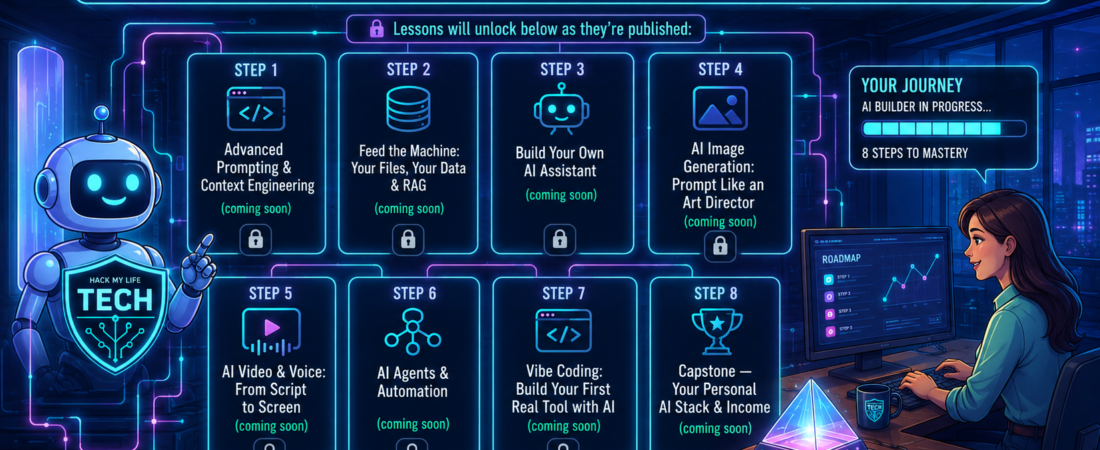
👉 Lessons will unlock below as they’re published:
- [Deep Dive Step 1] Advanced Prompting & Context Engineering (coming soon)
- [Deep Dive Step 2] Feed the Machine: Your Files, Your Data & RAG (coming soon)
- [Deep Dive Step 3] Build Your Own AI Assistant (coming soon)
- [Deep Dive Step 4] AI Image Generation: Prompt Like an Art Director (coming soon)
- [Deep Dive Step 5] AI Video & Voice: From Script to Screen (coming soon)
- [Deep Dive Step 6] AI Agents & Automation (coming soon)
- [Deep Dive Step 7] Vibe Coding: Build Your First Real Tool with AI (coming soon)
- [Deep Dive Step 8] Capstone — Your Personal AI Stack & Income (coming soon)
⏮️ New here? Start with Level 1: The AI Essentials Curriculum Roadmap